3.3. Structure element titles
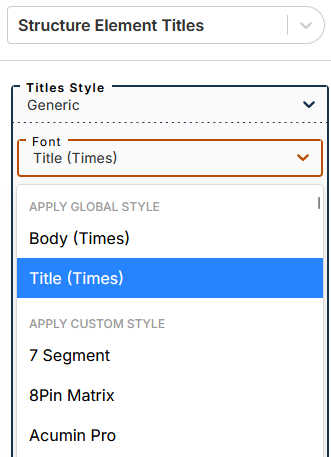
Font selection
The submenu lets you apply one of two global styles (defined in the menu Global Styles): body or title (applied by default).
You can apply a custom style by selecting a font from this part of the drop-down menu.
Other settings
Settings made in the menu affect all structural elements present in the document.
The menu of each element allows you to set specific values for some styles while preserving the default values for others.
By setting the particular values, the arrow to the right of each parameter becomes active.
Click the arrow to return to the default.
The Hyphenate feature allows you to hyphenate a particularly long word at the end of a title line.
The Display label feature allows you to hide the label (displayed by default) for the following elements: Part, Chapter, Appendix.