3.12. Insert an internal link
An internal link allows you to make a reference to another element in the document.
-
Position your cursor where you want to insert the internal link.
-
Click on the menu → :
-
The target elements with a title are listed in the dialog box that appears:
![[Tip]](cco-tip.svg)
Learn how To add a title
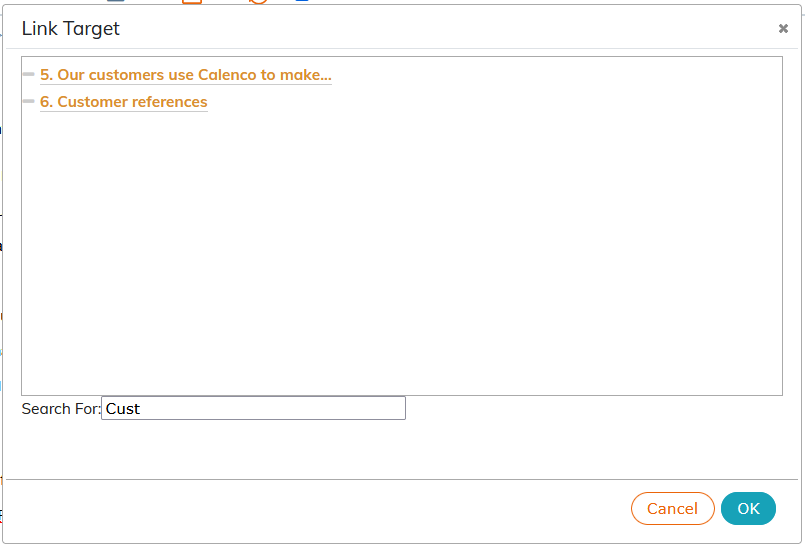
![[Important]](cco-important.svg)
Titles without an identifier appear in gray and cannot be clicked.
-
Select a target element and enter the text between the tags.
-
If you want to refer to an element which is not listed, click on .
Make sure that the target element is identified (To identify).
The identifier for structure elements must be placed over the entire element, not just its title.
-
Select the item
Internal link. In the list of attributes, replace"_specify_"by the identifier given to the target element: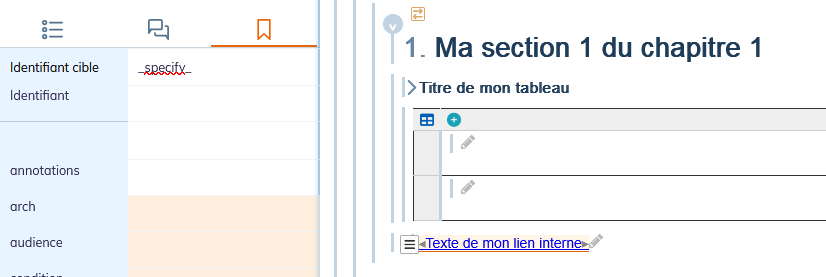
-