6.3. Grid widget
The Grid widget allows widgets to be organized into rows and columns for more accurate positioning in relation to each other.
The Grid widget is available in the and menus.
The grid can be edited:
-
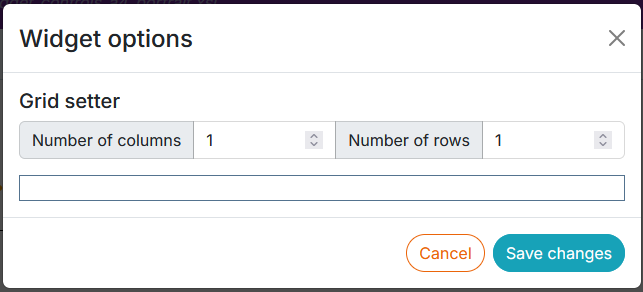
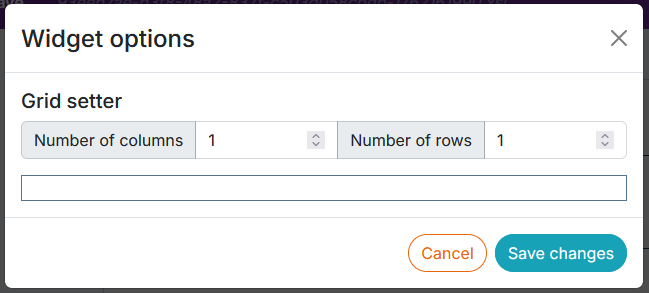
from the parameter editor to define a template with a default number of columns and rows:
-
from the Widget List panel.
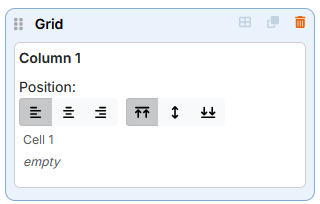
The grid has 2 operating modes:
-
Dragging To activate dragging mode, click on the icon:

-
Column editing. To activate column editing, click on the icon:
-
Drag - drop the widget Grid in the preview area.
-
Click on
to add rows and columns and set the width of the columns:

-
Drag and drop the necessary widgets inside the cells, on the green background that appears the moment the widget hovers over the cell's borders. The inserts for these widgets are automatically added to the inside of the grid insert.
![[Tip]](cco-tip.svg)
If the widgets are to be very close to each other in the vertical direction, it is recommended that they be placed in the same cell.
![[Note]](cco-note.svg)
The change in order of widgets within a grid (within the same cell, between cells and columns) is done directly in the dropped widget. The order of widgets changes automatically in the panel on the right.
It is possible to drag and drop widgets from one grid to another.
![[Caution]](cco-caution.svg)
The image embedded inside the grid via the widget or the custom Xpath, takes the width of the column. It must not have any dimensional or alignment settings in the XML editor (WXE).
When the grid is located in the header or footer area (and not on a title page), column widths can be defined either in millimeters
or proportionally. To switch between them, use the button:  or
or  located on the dropped widget and in edit mode.
|
|
|
Using a proportional unit grid is useful for PDF documents with alternative page formats, such as certain landscape pages in a portrait document. This is because the proportional grid will adapt to the zone in which it is located. |
When the grid uses proportional column widths, it occupies all the space in the zone.
Explanation of proportional column widths :
The total width of a grid is the sum of its column widths.
The width of one of its columns is therefore the ratio of the width of that column divided by the sum of the column widths multiplied by the width of the zone.
Example 4. Proportional grid
A grid in a 185 mm wide header.
Grid units are proportional.
The grid has 3 columns.
The following column widths: 1, 2, 3
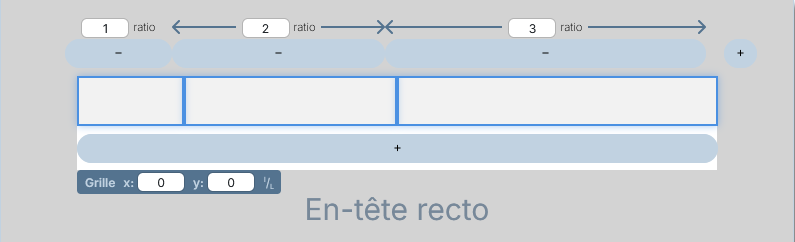
The first column: 1 / ( 1 + 2 + 3 ) x 185 = 30.8mm
The second column: 2 / ( 1 + 2 + 3 ) x 185 = 61.7mm
The third column: 3 / ( 1 + 2 + 3 ) x 185 = 92.5mm
|
|
|
It is possible to duplicate a widget grid with its widgets and their settings. |
