5. Page body
This menu is dedicated to the configuration of the elements that can be found next to the text in paragraphs.
5.1. Lists and procedure steps
These menus allow you to:
-
set list styles and procedure steps styles up to four levels.
-
set the style of list and procedure step titles.
-
set the vertical spacing of lists and procedure steps.
Choice of title style and font
Each type of list and procedure steps has a menu which allows you to set the common style for all these elements but also for tables and figures (see ???).
To customize the style of each element, select its name from the drop-down menu Title style, uncheck the box Use generic attributes.
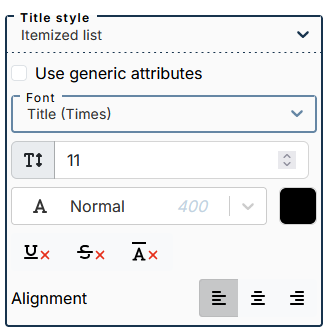
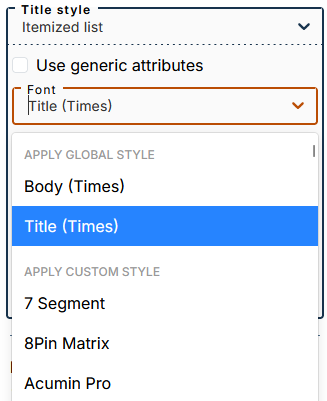
The submenu lets you apply one of two global styles (defined in the menu Global Styles): body or title (applied by default).
You can apply a custom style by selecting a font from this part of the drop-down menu.
Customize bullets for bulleted lists
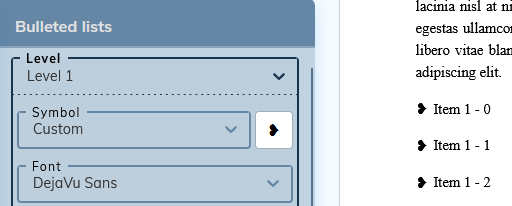
The drop-down menu offers a choice of predefined bullets, no bullet, or a custom bullet.
To integrate a custom bullet:
-
Select “Custom” from the drop-down menu.
-
Paste the desired bullet symbol into the white square to the right of the menu.
![[Important]](cco-important.svg)
Make sure the custom symbol is supported by the set font.