7. To adapt
Various settings are possible to customize the display of the workspace you are working on. Click on in the top right-hand menu:
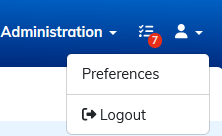
A new window appears:
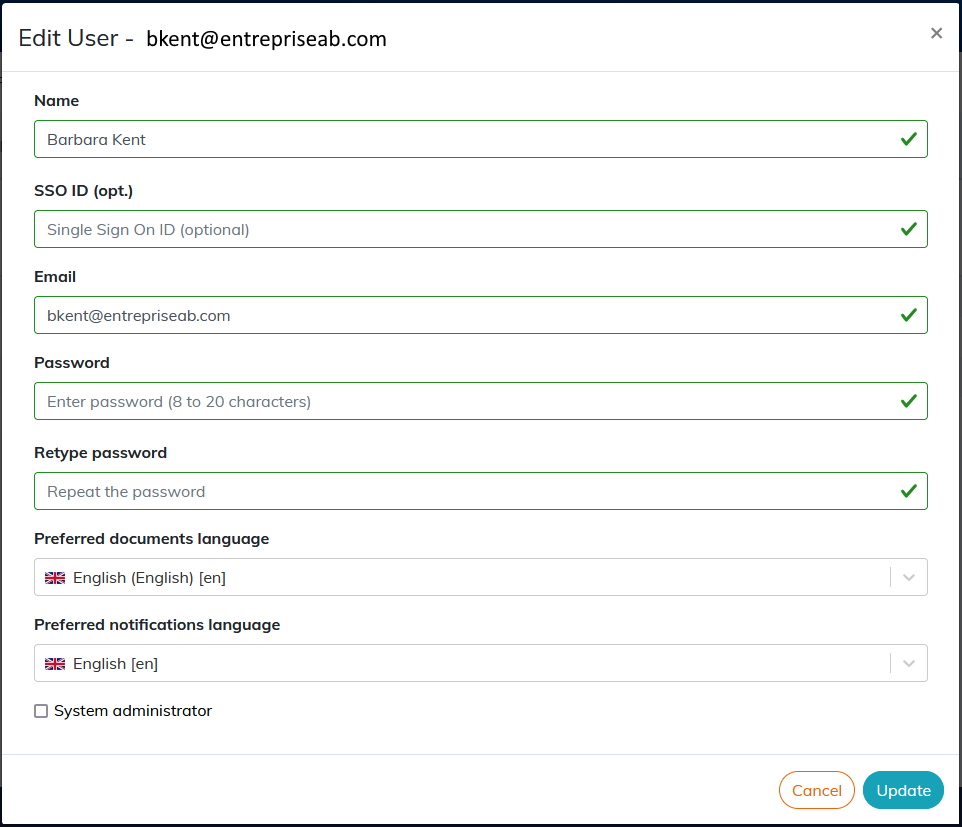
The following preferences can be edited:
-
Calenco identifies you via your email.
Your name is displayed when completing some actions (modification, workflow...).
-
Optional fields “phone” and “department” can be shown or hidden in this window.
![[Note]](cco-note.svg)
Via the customer account manager can display this information in the “Users” tab.
-
Your password.
It is necessary to enter your
current Passwordbefore entering theNew passwordif you wish to update it.![[Important]](cco-important.svg)
The password must be at least 6 characters long. It should not contain the username or email address, but upper and lower case letters, numbers and symbols.
![[Tip]](cco-tip.svg)
It is easier to request a password update on the login page via
I forgot my password. -
Calenco lists documents in the
Preferred documents language. -
Notifications are sent in the
Preferred notifications language.