3.2.2. Create a form template based on a base template
-
In the tab, click
 Create.
-
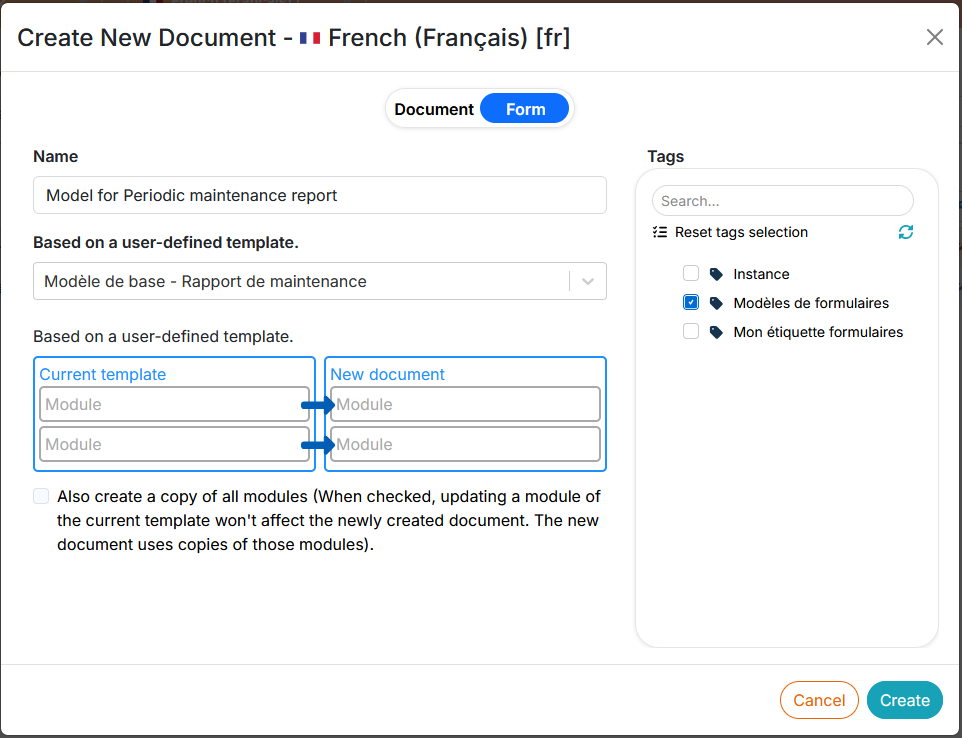
Select , select the desired base template from the drop-down menu, customize the name, and associate one or more tag(s):
![[Note]](cco-note.svg)
It is recommended that you always associate a tag with form templates when they are created. It will be used to associate an operator with this template, together with the tag of the respective form (see Create a new user account).
-
Click on : the content editor opens the created content in a new tab.
![[Caution]](cco-caution.svg)
Popup Some browsers (Mozilla Firefox) block pop-up windows: this can prevent the web editor from opening.
Make sure to add the url of the web editor to the list of allowed sites in your browser settings.
-
The new form template appears at the top of the document list in the tab.