2.2. Manage roles or access rights
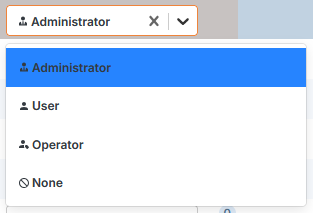
There are four roles or access rights to Calenco functions and content:
-
Customer account manager (customer manager) can :
-
manage the subscription,
-
add or remove licenses,
-
manage users,
-
create new workspaces,
-
create workflow templates,
-
add languages to the workspace.
-
manage filtering attributes,
-
create shared spaces,
-
create a connector to the translation tool,
-
manage translations,
-
manage servers for storage
-
define the role required for file deletion,
-
clean up the version history for all documents in the space,
-
manage form templates and forms.
![[Note]](cco-note.svg)
The customer account manager has a nominative writer license and customer manager role by default. It is not possible to modify his license type or role. To assign the customer manager role to another user, please contact your usual NeoDoc contact.
-
-
Workspace administrator (Administrator) can:
-
create workflow templates and manage workflows,
-
manage filtering attributes,
-
manage servers for storage
-
manage publications
-
create content,
-
manage translations,
-
manage form templates and forms.
-
-
Writer (User): can create and update documents and content.
-
Operator: can access the interactive forms to which it is associated and participate in workflows with the Calenco Forms solution.
The role is assigned to a user either :
-
when creating his account (Create a new user account);
-
when modifying a created account (Modify a user account).
The customer account manager can change the role of existing users at any time.
|
|
|
The same user can have different roles in different workspaces, with a few exceptions (see Create a new user account). |