5.2.2. To reuse fragments
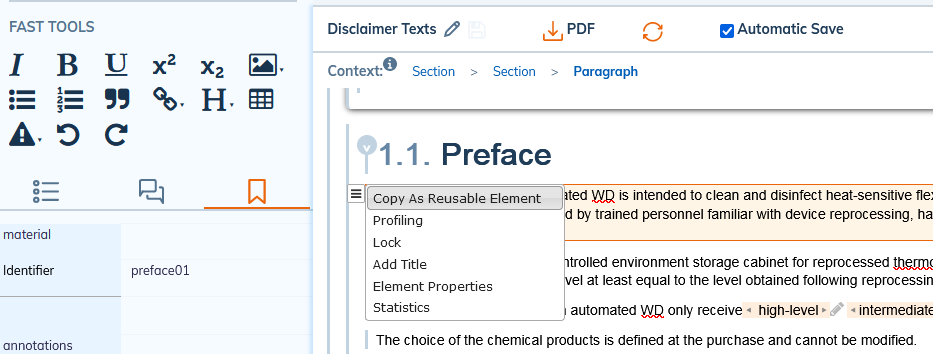
Elements as fragments of content (simple paragraph, image, table etc.) must be identified for reuse.
There are several methods of reusing fragments.
Procedure 37. Method 1
![[Note]](cco-note.svg) |
|
|
Make sure that the element to be reused is well identified (To identify). |
-
In the target document, click
 in the upper-right corner of the editing area to select a file containing reusable content.
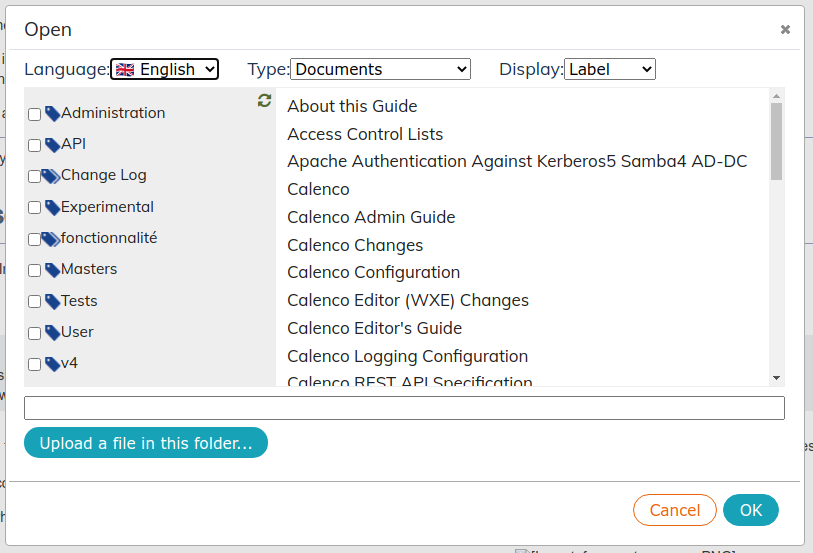
It is possible to filter files thanks to tags. To select multiple tags, hold down the Ctrl key.
The drop-down menu Display allows showing name or label of files.
-
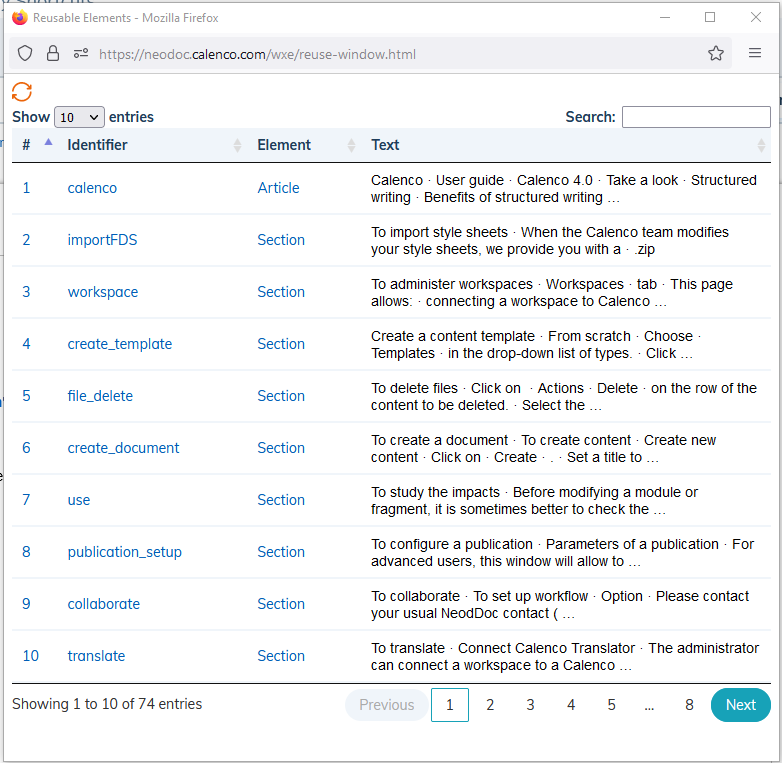
Select the file and click on OK. A new window appears:
-
If the file contains a lot of reusable elements, you can filter them.
-
Click the element and specify the insertion point. Insert the element using the arrow system Table 1, “Insert options”.
![[Tip]](cco-tip.svg)
Click on
 Refresh to update the list of items.
This method allows shared content to be reused as well (Sharing between workspaces).