3.6. Header and footer
This menu is dedicated to the configuration of headers and footers for all the pages of the document, including the title page.
Editing modes
There are two editing modes:
-
 page header editing ;
-
 footer editing.
 This tab allows you to preview headers and footers along with the page content.
![[Important]](cco-important.svg) |
|
|
If the editing area is not visible, check the height of the header and/or footer set in the menu Height of header and footer. |
Header and footer separators
Separators are fillets whose purpose is to distinguish body content from header and footer content more immediately.
They are activated with checkboxes.
The header separator is placed at the bottom border of the header area.
The footer divider is placed on the top border of the footer area.
Header and footer on blank pages
This feature is used in connection with the configuration of the document in two-sided copy mode, available in the menu Page dimensions.
It allows you to show or hide the content of headers and/or footers on blank pages.
Composition of header and footer
Headers and footers are created by dragging and dropping widgets.
The zone can accommodate widgets outside a grid, widgets grouped together in a grid, or a combination of both, as shown below:
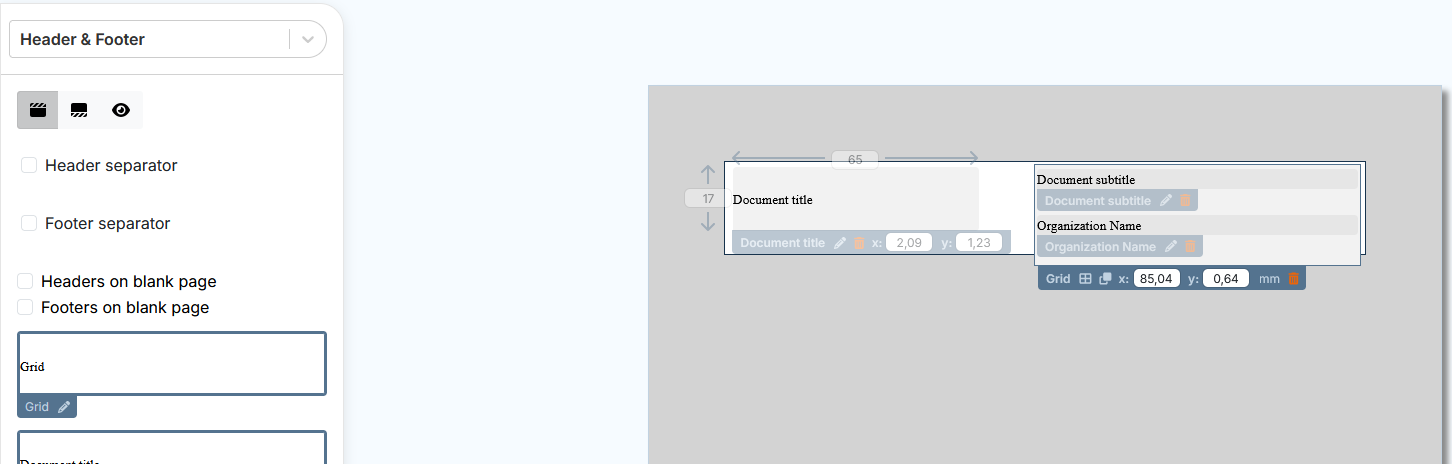
Settings for widgets outside the grid include :
-
modification of height and width ;
-
positioning with XY coordinates.
Widgets grouped in a grid follow the grid settings.
Section Widgets describes widget types and how to edit them.
Header and footer on odd and even pages
It is possible to set the header and footer differently for the odd and even pages of a document.
-
In the menu , enable Recto verso mode:
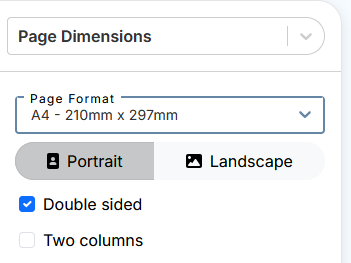
-
In the menu , enable Different Headers or Footers on Odd or Even Pages in the respective editing menus:
![[Note]](cco-note.svg)
It is possible to make a combined layout with separate headers and identical footers and vice versa.
Both sides of a page are displayed with a settings area for each side. The verso of the document corresponds to the even pages of the document. The recto corresponds to the odd pages.

The composition of the header and footer is done in the same way as in single-sided mode (header and footer identical to all pages) (see Composition of header and footer).
If the options and are selected for the cover page, and the layout for the recto and verso of the cover page is customized, the headers and footers set for the recto and verso are displayed on the recto and verso of the cover page, respectively.
If the Header/Footer option on blank pages is enabled, the blank pages display the headers and footers set for the recto.